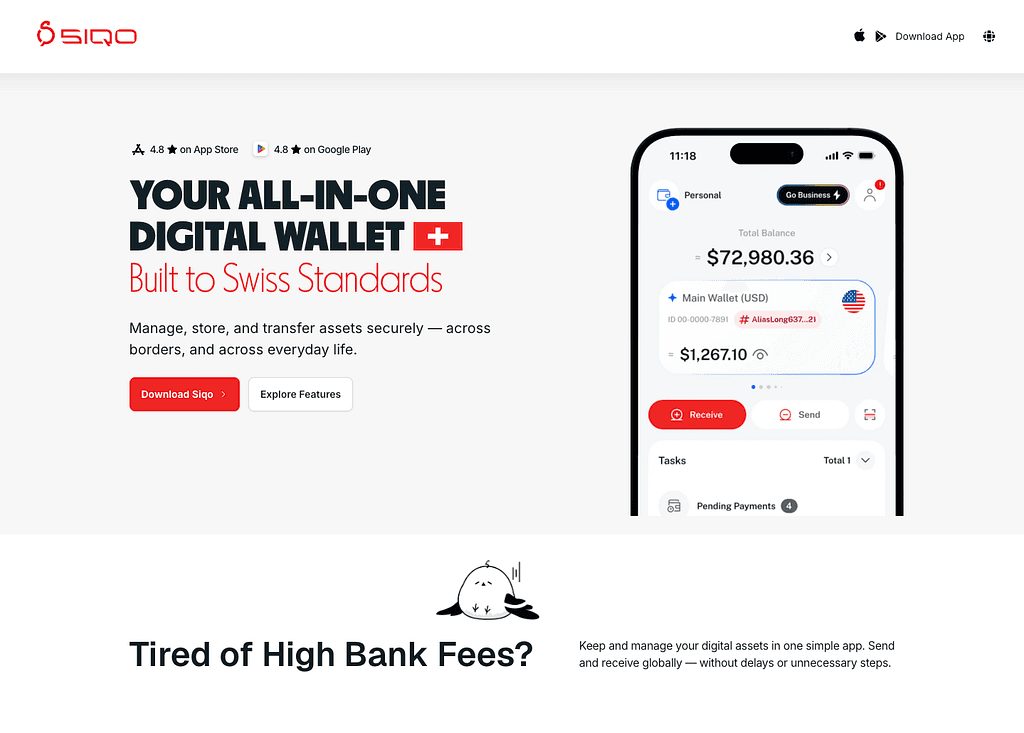


Meet SIQO: One Wallet. More Ways to Move.

Managing digital assets shouldn’t mean switching between different wallets, exchanges, payment services and banking channels.
SIQO brings more of that experience into one place.
From holding and swapping digital assets to sharing funds, sending crypto, withdrawing to a local bank account and paying by QR, SIQO gives you more ways to manage and use your money.
Here’s how to get started.
How SIQO Works
Four simple steps:
Create → Deposit → Manage → Use
Create your account, add supported digital assets, manage them inside SIQO, then choose how you want to use them.
1. Create Your SIQO Account
Start by creating your account in the SIQO app.
For features that require verification, such as supported local bank withdrawals, complete the required identity verification, also known as KYC.
Once your account is ready, you can start adding and managing supported digital assets.
2. Deposit Digital Assets
Add supported digital assets to your SIQO wallet.
Supported assets include USDT, USDC, BTC, ETH, BNB and TRX.
Once deposited, you can hold, swap, send or use your funds through the available features in SIQO.
3. Manage Your Funds Inside SIQO
Whether you’re managing your own assets or sharing funds with others, SIQO brings the essential tools together.
Hold Multiple Assets in One Wallet
Keep supported digital assets together and view your balances in one place.
For example, you can hold USDT alongside BTC and ETH without switching wallets to manage each balance.
Multiple assets. One place to manage them.
Swap Without Leaving the App
Need USDT instead of BTC?
Use SIQO’s in-app Swap to exchange supported digital assets without transferring them to another platform first.
For example:
- BTC → USDT
- USDT → USDC
Review the available rate and transaction details before confirming.
Hold. Swap. Send. All in one place.
Send to Another SIQO User
Transfer supported digital assets directly to another SIQO user.
Send funds to a family member, friend or partner who also uses SIQO, while keeping the transfer within the app.
SIQO → Another SIQO user
Manage Funds Together with Shared Wallet
Some funds are meant to be managed together.
SIQO’s Shared Wallet allows selected members to access and manage the same wallet.
You could use it for:
- Family funds: Keep money for common expenses together.
- Partner funds: Manage a shared pool of assets.
- Team expenses: Keep selected shared funds in one wallet.
Shared Wallet gives the people involved one place to manage those funds.
Add Control with Joint Approval
When several people manage the same funds, selected actions may need approval before they proceed.
With Joint Approval, designated members approve those actions before completion.
Initiate → Request approval → Approve → Complete
For example, one partner can initiate a transaction, while the required approver reviews it before it proceeds.
Shared funds. Decisions made together.
4. Use Your Funds Beyond SIQO
When you’re ready to move or spend your funds, choose from three options: an external crypto wallet, a supported bank withdrawal or QR Pay.
Send Crypto to an External Wallet
Move supported digital assets from SIQO to an external blockchain wallet.
For example, you can send crypto to your personal wallet or another supported blockchain address.
SIQO → External crypto wallet
This gives you the flexibility to move assets beyond SIQO whenever you need to.
Convert Crypto to Local Currency
Have crypto but need local currency in your bank account?
SIQO lets you convert supported digital assets into selected local currencies and withdraw the funds directly to a bank account.
Supported withdrawal currencies include:
- VND — Vietnamese dong
- THB — Thai baht
- RMB — Chinese yuan
- MYR — Malaysian ringgit
For example:
USDT → MYR → Your local bank account
Before confirming, review the available exchange rate, applicable fees and expected amount you will receive.
Crypto in. Local currency out.
Pay with QR
Use your SIQO funds to make supported QR payments directly through the app.
QR Pay is available in:
- Vietnam
- The Philippines
- Brazil
- Argentina
The process is simple:
Open SIQO → Scan a supported QR code → Review → Confirm payment
For example, when paying at a merchant with a supported QR code, you can scan it through SIQO and confirm the payment in the app.
From digital assets to everyday payments.
Refer and Earn with SIQO
SIQO also includes a referral programme.
Invite a new user and earn 0.4 USDT from each eligible external-wallet transfer completed by your direct referral.
You invite → They transfer → You earn
Programme terms and eligibility requirements apply.
One Wallet. More Ways to Move.
Your funds can serve different purposes. SIQO brings more of those possibilities into one app.
- Hold supported digital assets.
- Swap between supported assets in the app.
- Send to other SIQO users or external wallets.
- Share a wallet with selected members.
- Approve selected actions together.
- Withdraw into supported local currencies.
- Pay through supported QR networks.
Start with your digital assets. Choose how you want to manage and use them.
SIQO — One wallet. More ways to move.